
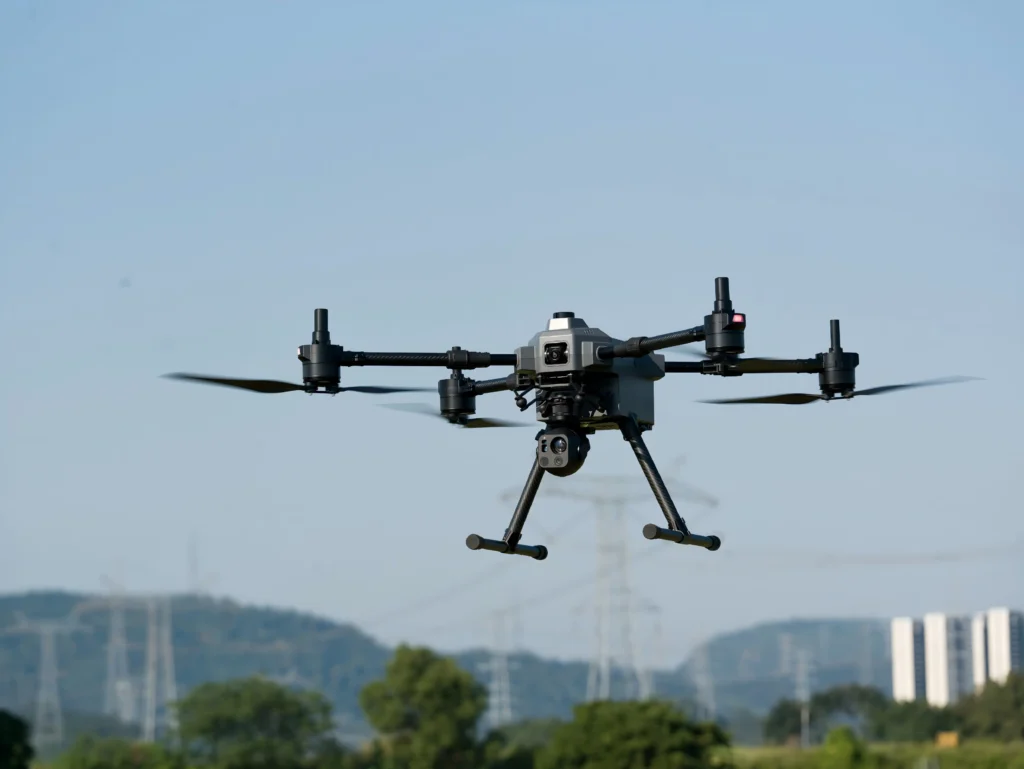
A maintenance team is inspecting a power substation after sunset. The pilot can see the transformer yard but needs to examine a connector and read a label from a safe distance. A camera with an impressive minimum-illumination figure may seem ideal. Yet that number alone does not show whether the image retains useful color, resolves details or stays stable enough for a maintenance decision.
Choosing a low-light gimbal means matching the payload to the task, lighting, working distance and aircraft.
Start with the inspection task, not the lux figure
Minimum illumination, measured in lux, indicates how little visible light a camera can work with under stated test conditions. It helps with shortlisting, but image quality also depends on lens aperture, sensor, exposure time, gain, processing and the manufacturer’s test method.
A long exposure may brighten a static scene but blur a moving target or footage from a moving aircraft. Noise reduction can smooth a dark image while removing fine texture. Before comparing products, define what operators must see—a cable’s condition, a leak stain, a warning light, a label or an asset’s overall layout—and set the working distance.
Full-color low light and IR-assisted monochrome
Full-color low-light imaging uses available visible light and image processing to retain color in dim conditions. It can help distinguish wire colors, paint markings, indicator lights and surface changes. It is most useful where some ambient light remains, such as a lit industrial site.
IR-assisted monochrome imaging is intended for darker conditions. The camera uses infrared illumination reflected from objects and presents the image in grayscale. It can reveal outlines and movement when visible-light imaging becomes impractical, while monochrome contrast may make edges easier to distinguish at a distance.
The trade-off matters: IR-assisted monochrome does not preserve natural color, and it is not thermal imaging. It shows reflected infrared illumination, not an object’s heat signature. If an inspection requires temperature differences, use a dedicated thermal camera. Compare both modes on the same target and at the same distance.
Match the field of view and zoom to the job
A wide-angle camera gives the pilot context. It helps locate equipment, understand the scene and keep a target in view. It is useful for route monitoring and broad inspections, but small details may occupy only a few pixels.
Optical zoom changes the lens focal length to magnify a distant subject. It is generally the more reliable way to inspect small features without digital enlargement, such as fittings, insulators, fasteners and structural joints.
Hybrid zoom combines optical zoom with digital processing or cropping to extend apparent magnification. It can help an operator look farther without moving the aircraft, but this is not equivalent to optical detail. At high zoom, haze, focus accuracy, sensor resolution and aircraft movement become more noticeable. Test the required detail at the intended range rather than choosing by the maximum zoom number.
Check stability as carefully as image quality
A high-magnification image is useful only if it stays readable. Gimbal mechanics, control response, electronic stabilization, aircraft vibration and wind all affect the result. Small movements in a wide shot can become distracting when zoomed in.
During a field test, inspect a fixed target while hovering, moving slowly and holding position in representative wind. Check how quickly the camera settles, whether the image jitters during zoom changes and whether focus remains consistent. Review recorded footage as well as the live feed, since compression and transmission affect later analysis.
Field comparison checklist
Use the same target and repeatable conditions for every candidate payload:
- Lighting: Record approximate illumination with a lux meter. Compare color and IR-assisted monochrome in real site lighting, including areas without direct light.
- Distance and detail: Test planned inspection distances. Check whether the required feature can be identified, not merely whether the object is visible.
- Stability: Compare hover, slow movement and zoom. Review footage for blur, vibration, focus hunting and transmission artifacts.
- Installation: Confirm payload weight, dimensions, center of gravity, mounting, power, connectors, control protocol, video output and ground-station support with the aircraft manufacturer or integrator.
- Operations: Check environmental protection, operating temperature, bandwidth, recording format and the effect of payload weight and power on flight time.
Verify the complete chain—from mounting and power to control, video and recording—on the aircraft before fleet deployment.
Consider the complete payload configuration
The SIYI UniPod NV10 is one option to review for projects that need a wide overview and long-range visual inspection. SIYI’s published specifications list a 4 MP 2K wide-angle camera and a 2 MP zoom camera, with 10× optical zoom and up to 100× hybrid zoom. The manufacturer lists minimum illumination of 0.0001 lux for the wide camera and 0.0005 lux for the zoom camera, plus full-color low-light and IR-assisted monochrome modes.
These figures are a starting point, not a guarantee. Test the required detail at the intended distance and verify mounting, electrical and control compatibility with the aircraft and ground station.
The best low-light gimbal is the one that captures the evidence your team needs under real operating conditions. Contact HAWKUN through our inquiry form to confirm a suitable configuration for your platform and inspection requirements.